
Popsee – A simple way to ask your visitors a quick question

Every website owner eventually faces the same question: What do my visitors actually think?
Analytics tell you what people do. Heatmaps show you where they click. But neither tells you why they came, what they’re looking for, or why they’re about to leave.
I built Popsee to solve this. It’s a tiny, unobtrusive widget that pops up on your site to ask visitors a quick question, and then gets out of the way.
How It Works
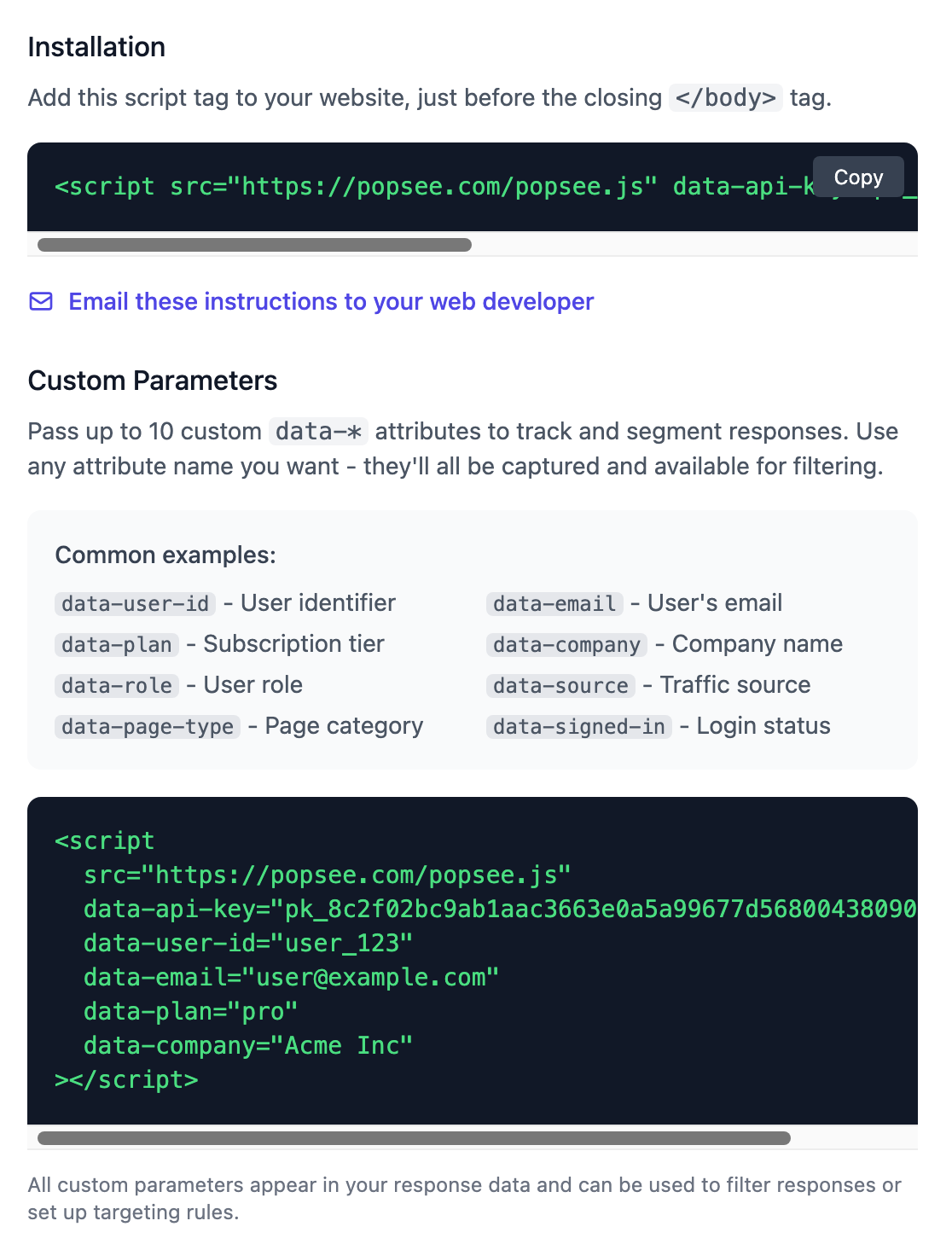
Drop a single script tag on your site:
<script src="https://popsee.com/popsee.js" data-api-key="pk_..."></script>
That’s it. You can add it in WordPress or WIX or any website builder, very easily. No npm packages, no build steps, no framework dependencies. It’s “lazy loaded,” so it won’t interfere with any Search Engine Optimization on your site, and won’t slow down user’s web experience.
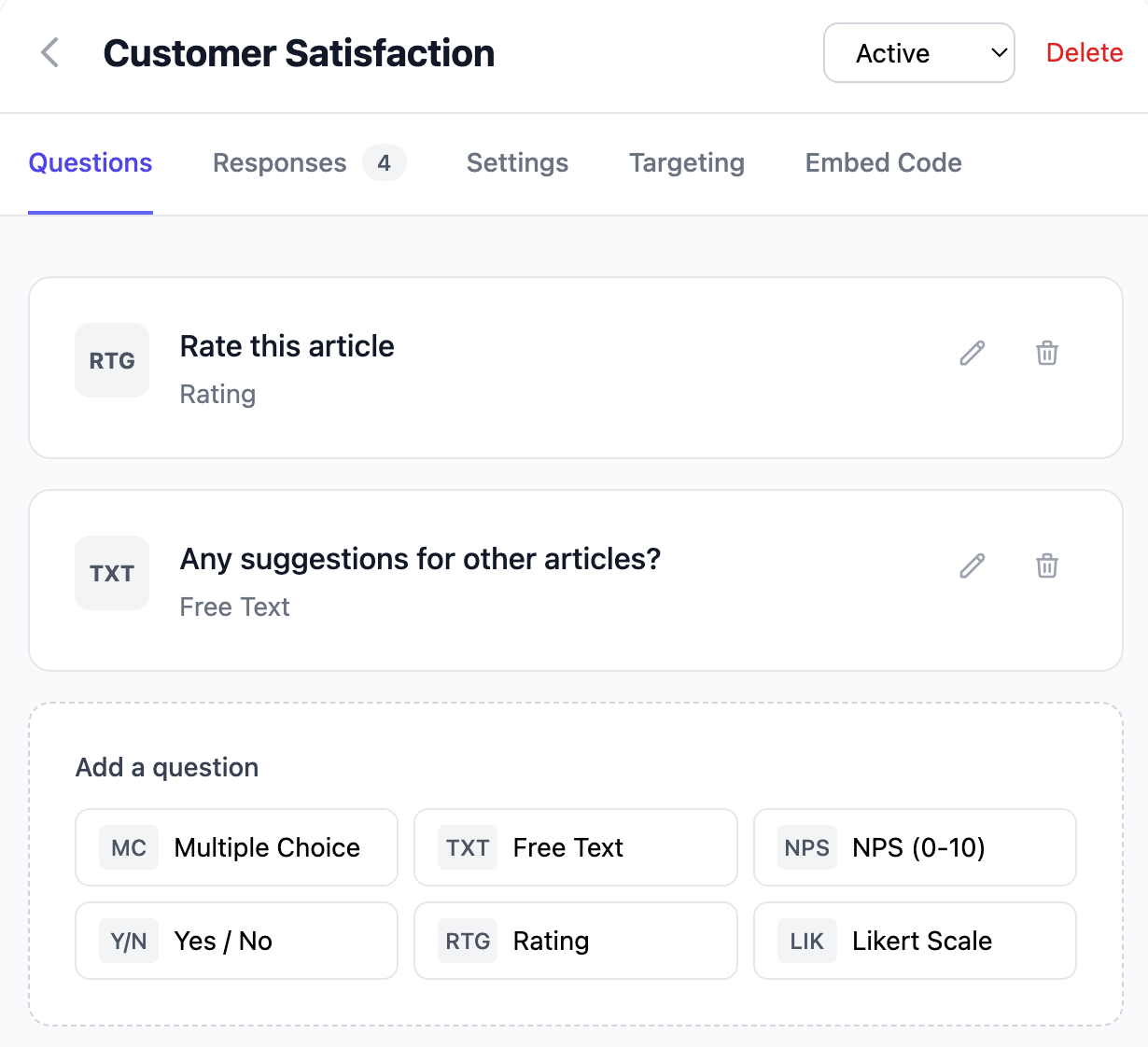
From the Popsee Dashboard, you simply choose the question(s) you want answered: multiple choice, free text, Net Promoter Scores, star ratings, yes/no. You set the targeting (see below). The widget handles branching logic, so you can ask follow-up questions based on how someone answered.
Smart Targeting
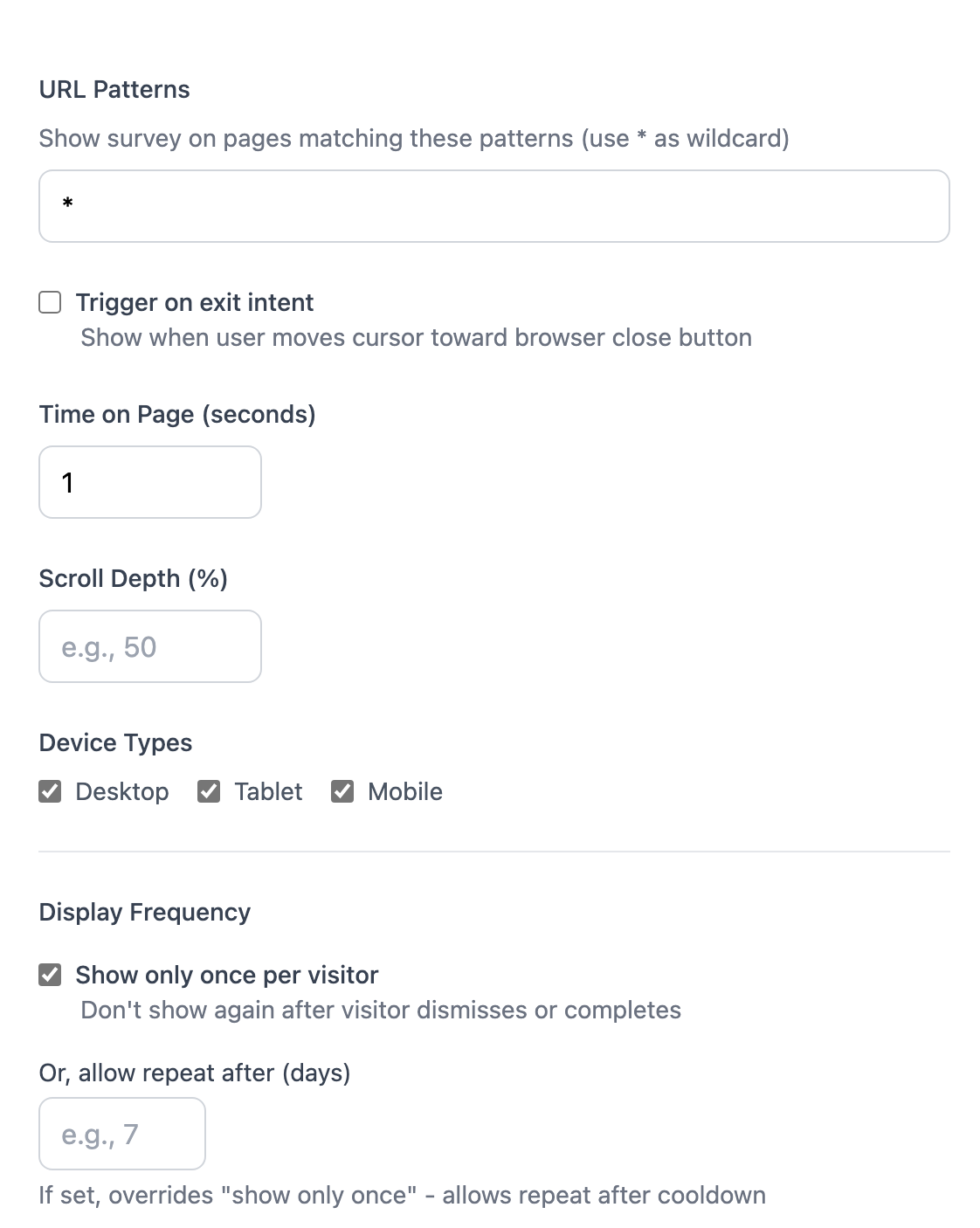
The widget only appears when conditions you set are met:
- Exit intent — catch people as they’re about to leave
- Time on page — wait until they’ve had a chance to look around
- Scroll depth — show it after they’ve engaged with your content
- URL patterns — target specific pages or sections
- Custom parameters — developers can pass the user_id, the plan, the ad source, or anything (up to 10 parameters)
You can determine when to show it — e.g., on the fifth page view, or after someone’s been staring at a single page for 20 seconds or more. Visitors see your survey once and it remembers them, so you’re not pestering the same people repeatedly.
Lightweight by Design
The whole widget is under 15KB gzipped. It renders in a Shadow DOM, so it won’t conflict with your site. It just works.
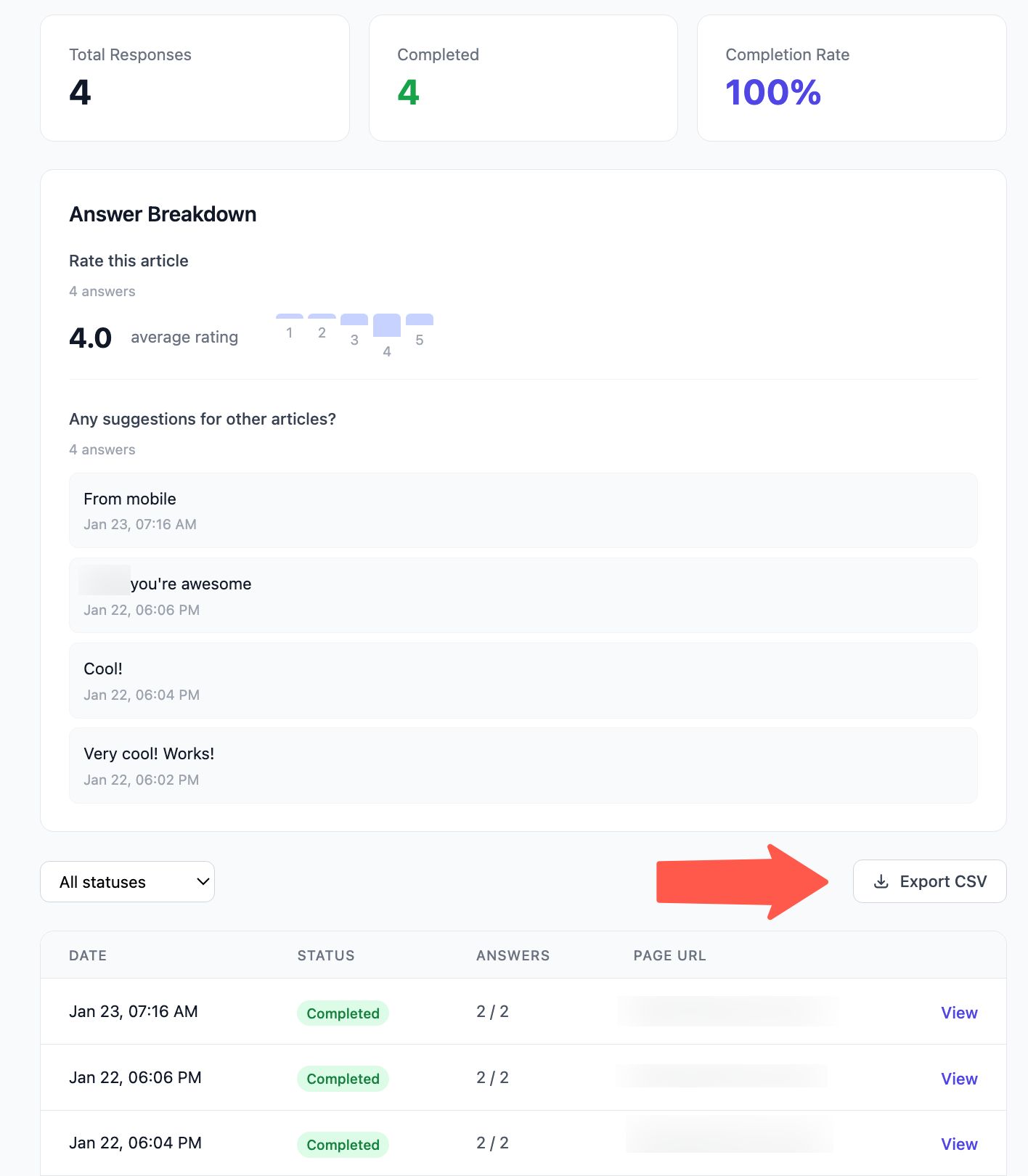
Responses are collected on the dashboard, which you can download to a .CSV file.
Advanced Users
Popsee supports Webhooks. That is, when a survey response comes in, Popsee can POST to any endpoint of your choosing. So you can integrate with your own custom back-end to progressively profile a user (e.g., ask them one question every third website session), or you could post it to Slack, Salesforce.com, or your own systems when feedback comes in. This feature is optional.
See How Popsee Works
A quick visual tour of everything you can do with Popsee.
Step 1: Create Your Survey
Start with a blank survey or choose from our templates for common use cases like Net Promoter Score (NPS), exit surveys, and customer satisfaction.
- Multiple choice, text, NPS, and rating questions
- Add branching logic for follow-up questions
- Customize colors to match your brand
Step 2: Set Targeting Rules
Show your survey to the right visitors at the right time. Combine multiple conditions for precise targeting.
- URL patterns and page matching
- Time on page and scroll depth triggers
- Exit intent detection
- Device type and geographic location
Step 3: Install the Widget
Copy one line of code and paste it into your website. Works with any platform — WordPress, Shopify, custom sites, and more.
- Single script tag installation
- Pass custom data like user ID or plan type
- Tiny and fast — won’t slow your site
Step 4: Collect Responses
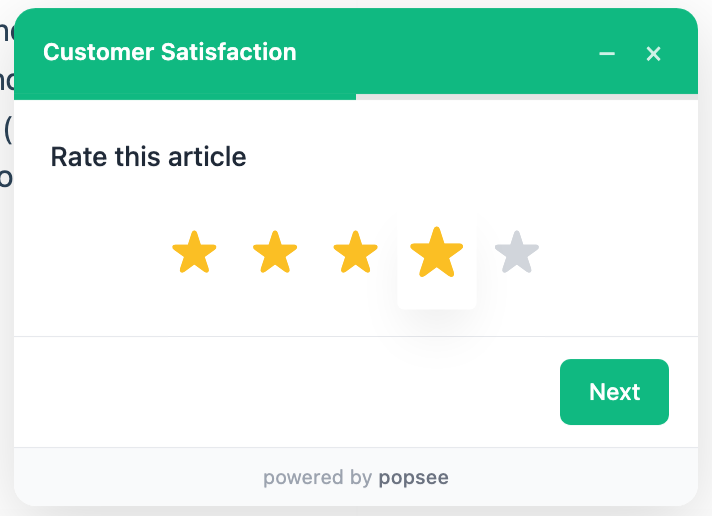
Your survey appears to visitors when targeting conditions are met. The widget is unobtrusive and easy to dismiss.
- Slides in smoothly from the corner
- Remembers visitors who dismissed or completed
- Works on desktop and mobile
Step 5: Analyze Results
See responses as they come in. Filter by custom parameters, view individual responses, and export to CSV for deeper analysis.
- Real-time response dashboard
- Filter by user attributes and custom data
- Export data to CSV
- Webhook integration for real-time alerts
Pricing
You can try it free for 14 days. After that, it’s a simple paid plan ($29 per month) — there are no complicated tiers or per-seat pricing.
Give it a try at popsee.com.