Presenting? How to Make a QR Code Quiz or Live Poll with PollQR
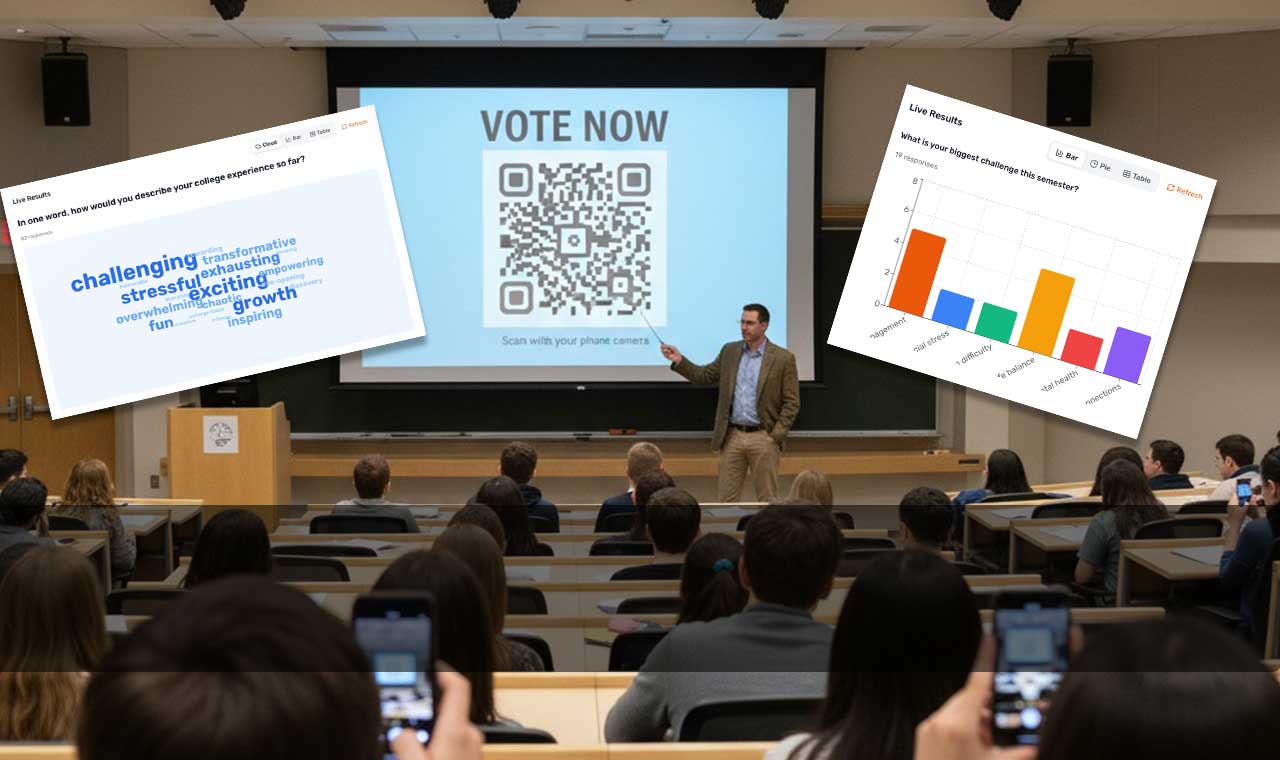
Are you a professor, lecturer, trainer or presenter? Consider adding a Live Poll or Quiz with QR Codes to your next presentation. (Note that I’m referring to presentations to adult audiences; I’m personally not a big fan of mobile phones in lower grades.)
When presenting, many of us ask for a “show of hands” at the start of a presentation, because that’s what presenters do, not because it works.
A few reasons it doesn’t:
- People don’t want to be the one hand up in a room of strangers.
- You can’t actually count 200 arms.
- There’s no record afterward.
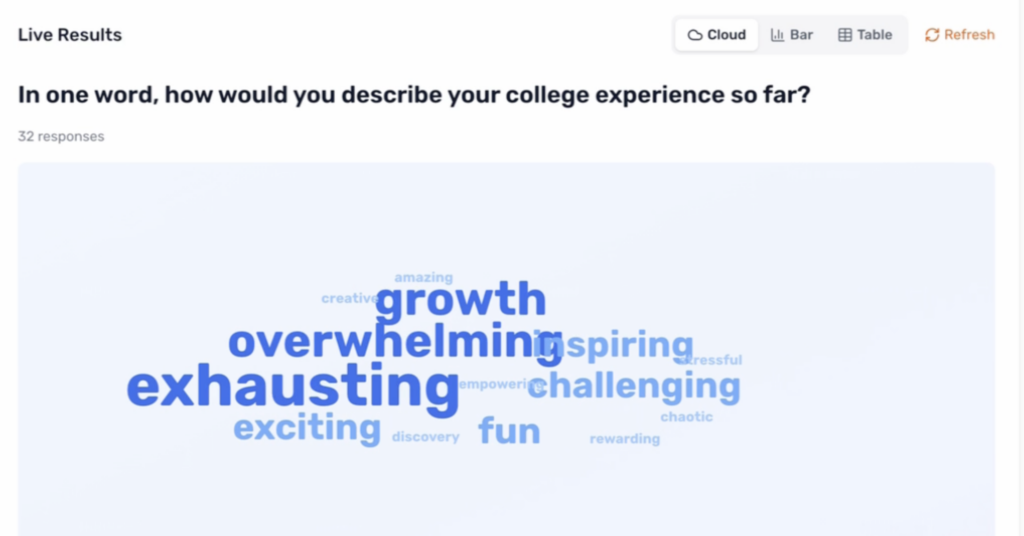
- It only works for yes/no questions — the second you want a multiple choice, or a word-cloud like the one below, it falls apart.
Here’s an example of the kind of information you could have:
Sometimes, a QR code on a slide can be the quickest path from “here’s a question” to “here’s an answer.”
You could do this before your presentation, at the start of it, or as you wrap up. People point their camera at the code, they tap the link and vote. Results show up on your screen as they come in. And all it took to create this was about 3 minutes on your part, over at PollQR.com.
There’s no app to download. No login. Every phone made in the last five or six years scans QR codes from the camera — people have been doing it at restaurants since 2020, so
there’s nothing to explain.
The other thing that matters: when the results update live on screen, the audience sees themselves in the data. Watching the bars move as their own vote lands is a small
thing, but it shifts the energy of the room in a way that hand-raising never does.
Where You Can Use It
You can use it at the start of a talk, to get people participating. One easy question — “what’s one word that comes to mind when you think of ___(your presentation topic)___?”
You can use it as a comprehension check. Teachers call these “exit tickets.” You finish a section, drop in a quick question, and find out whether anyone followed what you just said. If
most of the room gets it wrong, you know to go back instead of barreling forward.
You can use it to let the room decide. Running a workshop and not sure which topic to cover next? Let people vote. It’s faster than debating, and the outcome feels fair because everyone
had a say.
You can use it to get more honest answers. Anonymous polls surface things people won’t say out loud. “What’s our biggest obstacle this quarter?” gets you more in 30 seconds than a roundtable does in 30 minutes.
You can use it to make sure Q&A that doesn’t get hijacked. Instead of the same two extroverts holding the mic, let people submit and upvote questions. The good ones rise.
What I’ve learned about making polls work
A few things I had to figure out the hard way:
- Ask one question per slide. If you try to stuff two in, people get confused and you lose both answers.
- Keep the options short. If the choices don’t fit on a phone screen at a glance, rewrite them.
- Always show the results. Collecting data without displaying it defeats the whole point.
- Don’t overdo it. Two or three polls in a 45-minute talk is about right. More than that starts to feel like a quiz.
- Have a backup. Wi-Fi dies sometimes. Know what you’ll do if the poll won’t load.
You don’t need a big conference tech stack for this. With PollQR, you make a poll, put the QR code on a slide, and the votes show up as they come in. That’s the whole
thing.
If you’re presenting soon, pick one slide — just one — and turn it into a live poll. You’ll learn more about your audience from that single question than from the rest of
the deck combined.
Try it on your next deck!
Your next talk doesn’t have to end with polite applause and two people asking questions at the podium. It can end with a room that actually took part, data you can use, and
an audience that remembers you as the presenter who paid attention to them.