How to Merge Calendars (iCal) Automatically

If you rent out a vacation rental on via multiple platforms, you know that keeping calendars in sync is a pain. Double-bookings can happen if you’re not careful. Airbnb has one calendar feed, VRBO has another, Booking.com has a third. You can do it manually, but miss one update, and you’ve got a double booking.
I built mastercalendar.io to solve this. It’s a simple way to synchronize iCal calendar feeds.
How does it work?
Say hello to Cal the Robot. Cal knows all about the .iCal format, and he works around the clock on calendar synchronization.

You can give Cal up to ten iCal feeds for a given property, and every fifteen minutes, he examines those calendars. He turns them into a single, merged .iCal format calendar feed that’s always a “single source of truth.”
The web URL that Cal gives you should be used as an import into VRBO, Airbnb, Booking.com, and more.
It’s the “master calendar”, hence the name, mastercalendar.io.
If you set it up this way, your calendar stays in sync, and the true availability is accurate across all platforms to fifteen minutes, and your revenue opportunity is maximized.
Simply visit mastercalendar.io, create a property, and add up to 10 .ics source-feeds, from various services like Airbnb, VRBO, OurSharedPlace, or Booking.com:
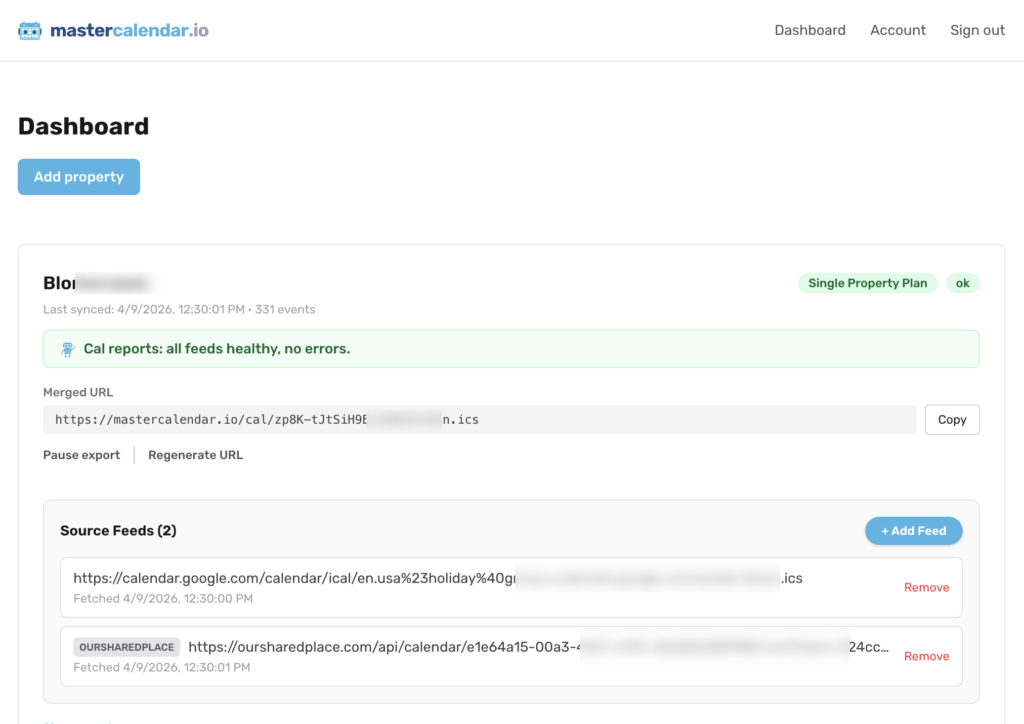
You’ll get a merged URL, as you can see above. Take that merged URL and paste it into your booking services. That’s it!
You can tell mastercalendar.io to always add buffer days before or after (or both.) This might be useful if you always want to ensure there’s a turnover-day for housekeeping or maintenance, or a setup day or two before people arrive.
How it started
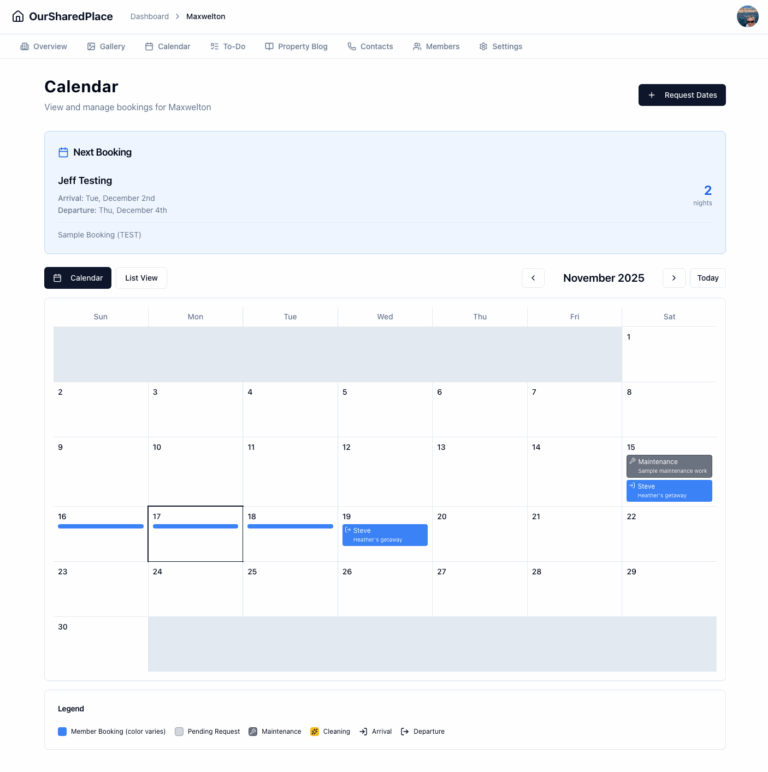
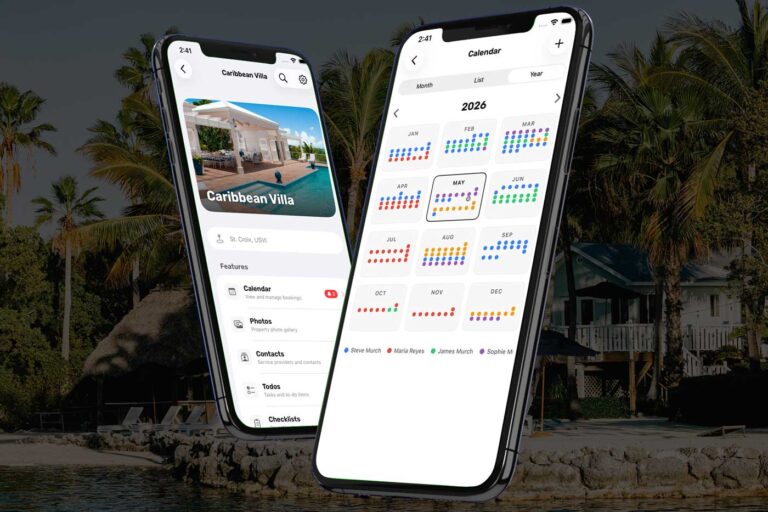
A year ago, I launched OurSharedPlace.com, a digital solution for people who share vacation properties with family or friends. It handles scheduling, expense splitting, and communication between co-owners. I’ve been really happy with the feedback and take-up on this platform, which I use myself in my own extended family for our shared vacation home.
As OurSharedPlace grew, a pattern emerged in customer feedback: people kept asking for a way to sync their OurSharedPlace calendar with Airbnb and VRBO so they could rent their property when co-owners weren’t using it, without risking double-bookings.
The iCal standard (.ics files) is supposed to make this easy. But in practice, it doesn’t. Platforms poll each other’s feeds on different intervals. Events get duplicated. Feeds create infinite loops when they re-import their own exports. Buffer days between bookings (for cleaning and turnover) aren’t handled. And when something breaks, there’s no visibility into what went wrong.
What mastercalendar.io does
The idea is simple: give mastercalendar.io up to 10 iCal feeds per property — e.g., from Airbnb, VRBO, Booking.com, Google Calendar, OurSharedPlace, or any platform that publishes a .ics file. Cal the Robot will merge them into a single, de-duplicated master calendar. You get one export URL.
Just subscribe every platform to that one master calendar URL, and your bookings stay in sync automatically.
Under the hood, the sync engine handles the tricky parts:
- Loop prevention: exported events are tagged so they’re never re-imported, eliminating the echo problem that plagues naive iCal sync setups.
- Buffer days: automatically block days before and after each booking for cleaning and turnover.
- Sync health dashboard: see which feeds are healthy, when they last synced, and catch issues before they become double bookings.
- Multi-property support: manage one rental or a hundred. Each property gets its own set of feeds and its own export link.
The OurSharedPlace connection
OurSharedPlace is a service I’ve built to let you easily manage a vacation property with others. It’s perfect for inherited homes shared among siblings, or vacation property you might want to open up to a small member group to book. It also works just as well for single owners, with features like a contacts list, articles manager, reservation calendar and more.
If you’re already using OurSharedPlace to manage your vacation property, mastercalendar.io is the natural next step if you’re renting it out. Add your OurSharedPlace calendar as a source feed alongside Airbnb and VRBO, and all your owner-blocked dates, guest bookings, and platform reservations live in one place. The two products share an authentication system, so there’s no extra account to create.
Pricing
Plans start at $9/month for a single property, with a 14-day free trial on every plan. Pro ($24/month) lets you synchronize up to 10 properties (with 10 inbound calendar feeds each), with faster sync intervals and buffer day support. Business ($49/month) goes up to 50 properties.
Try it out
If you manage vacation rentals and are tired of manually syncing calendars (or dealing with double bookings when you forget), give it a try at mastercalendar.io.
I’d love to hear what you think!